How to photograph glasses to sell online
Plain background, side light, the frame straight and centered: a step-by-step guide to shooting glasses with your phone, ready for your storefront.
Key takeaways
- A phone is enough: what makes the photo is a plain, light background and soft side light, with no direct sun.
- Frame open, facing the camera, centered, with clean lenses and no glare.
- A square format works best for storefronts, Instagram and WhatsApp.
- The front photo also becomes the 2D model for the try-on: the AI removes the background and the temples.
Why the photo makes the sale
Online, customers can't pick up the frame. They decide from the photo: the color, the shape, the finish on the bridge. A dark, crooked or shadowy photo makes a good frame look ordinary — and the customer scrolls past.
The good news: to sell glasses online you don't need a photographer. A recent phone and fifteen minutes of care will do.
What you need
- A phone with a rear camera (the front camera distorts more).
- A plain, light surface and background: a large sheet of white paper, a poster board or a light wall.
- Natural light from a window, without direct sunlight.
- A microfiber cloth to clean the lenses.
Step by step
1. Set up your corner
Lean the poster board against the wall so it curves down onto the table — that way the line where the background meets the table doesn't show. Work near a window, with the light coming from the side.
2. Clean the frame
Fingerprints and dust show up far more in a photo than to the naked eye. Clean the demo lenses and the front of the frame.
3. Shoot it straight on
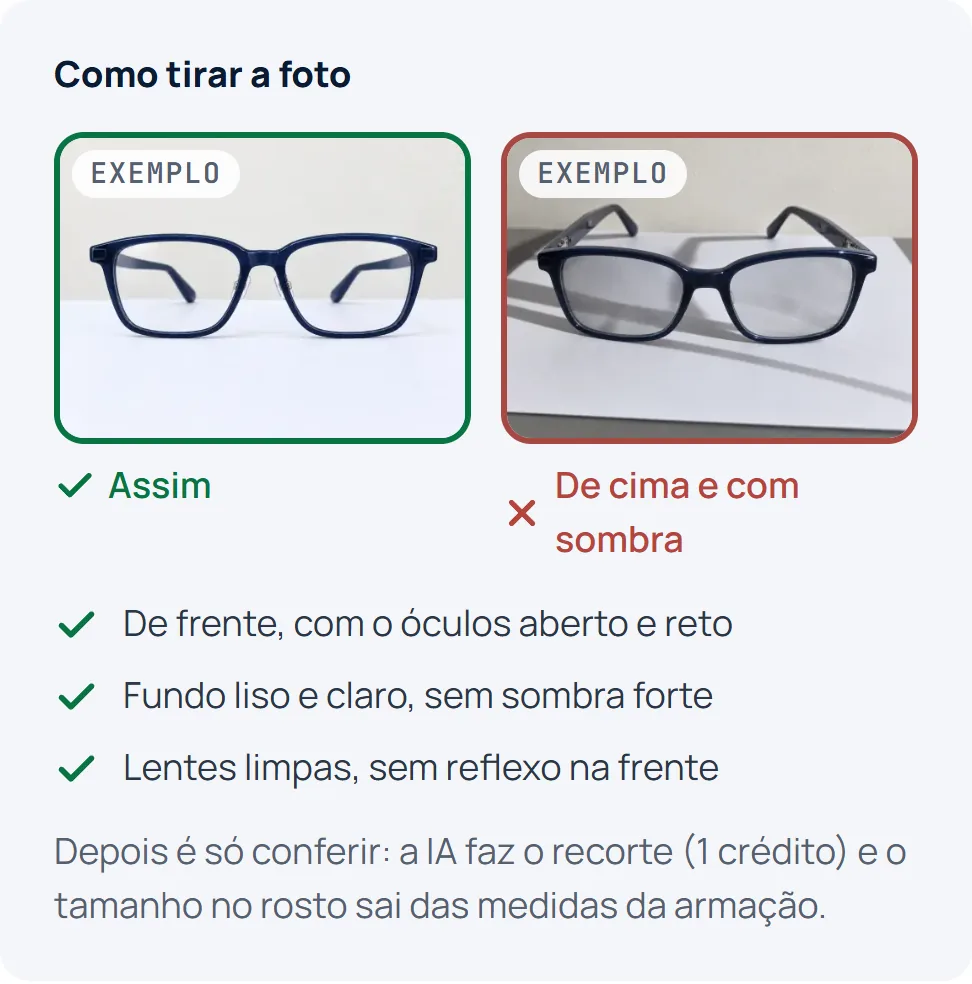
Open the temples and set the frame upright, facing the camera and in the middle of the shot. Hold the phone at lens height, not from above: shooting from above distorts the shape and makes the frame look smaller.
4. Watch the shadows and reflections
If there's a hard shadow behind the frame, move the frame away from the background or closer to the window. A lamp reflected in the lens? Turn the frame slightly or switch off the ceiling light.
5. Frame it square
Leave some margin around the frame and go for a square format. It fits storefronts, Instagram posts and WhatsApp previews best, without cropping the ends.
6. Take a side shot too
A profile photo showing the temple helps customers see the thickness and finish — and it's the starting point for photos from other angles.
Mistakes that ruin the photo
- Shooting from above, with the frame lying flat on the table.
- A patterned background, a tablecloth or the counter showing.
- The phone's flash (it blows out the lens and flattens the color).
- Digital zoom: move closer instead.
- A crooked frame or closed temples.
From phone photo to catalog photo
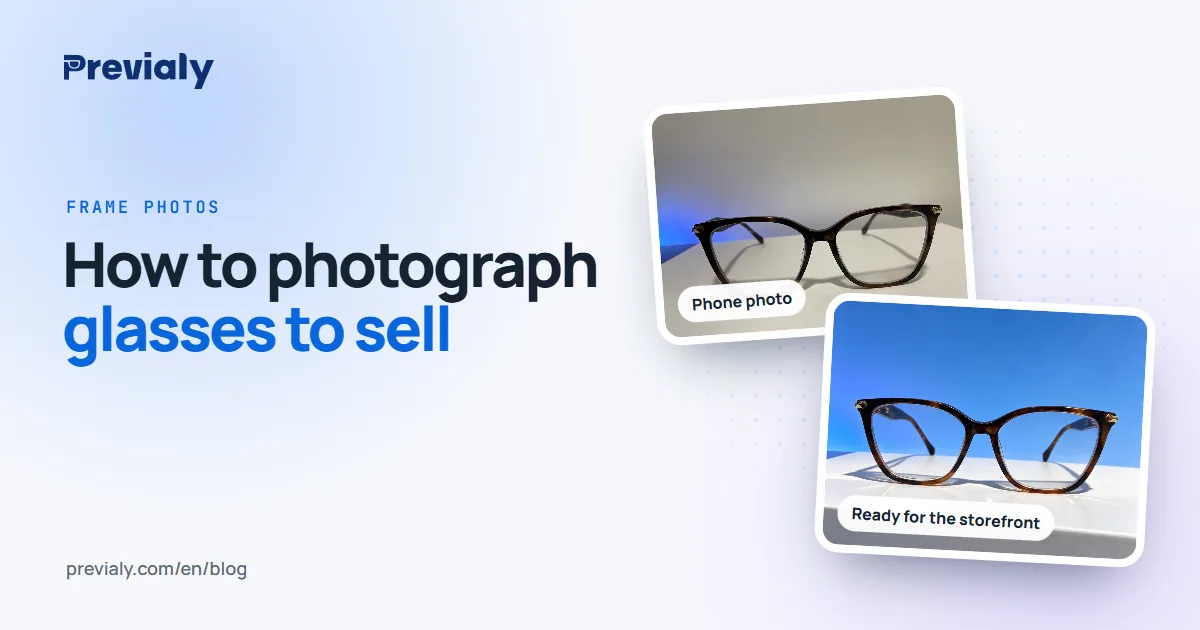
Even if you follow every step, a counter photo still looks like a counter photo. That's where Previaly's AI Studio comes in: you upload the front photo (and the side one, if you like), pick a scene and it creates catalog photos of your frame that go straight to your storefront.
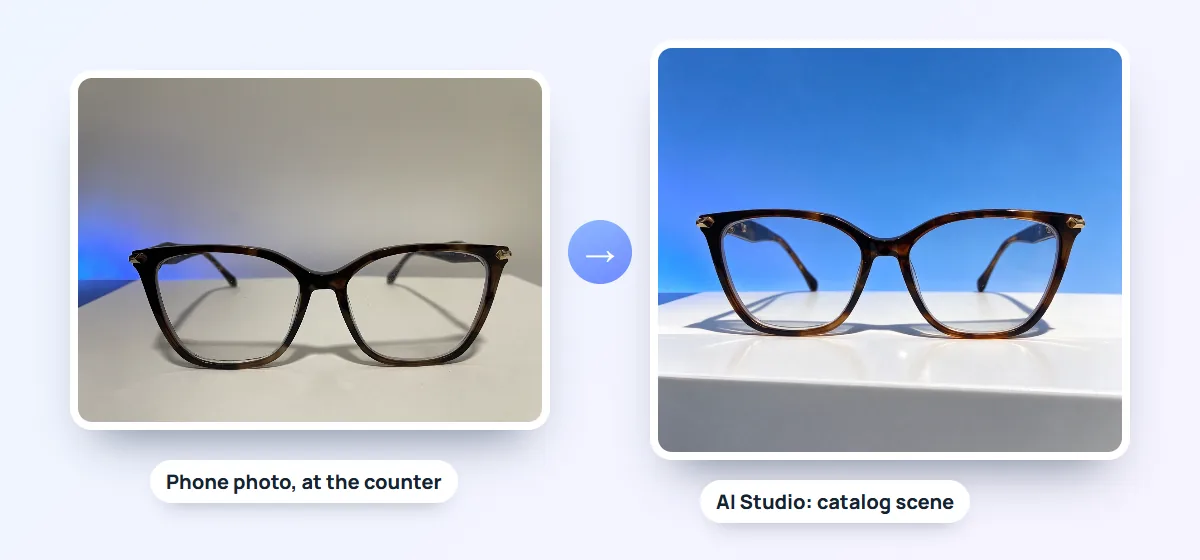
Already have professional photos from the supplier? Use them in your storefront as usual — the Studio is for when you don't.
The same photo becomes the try-on
The front photo has a second job: it's what Previaly uses to create the 2D model customers try on with their phone camera. The AI removes the background and the temples and keeps only the front of the frame.
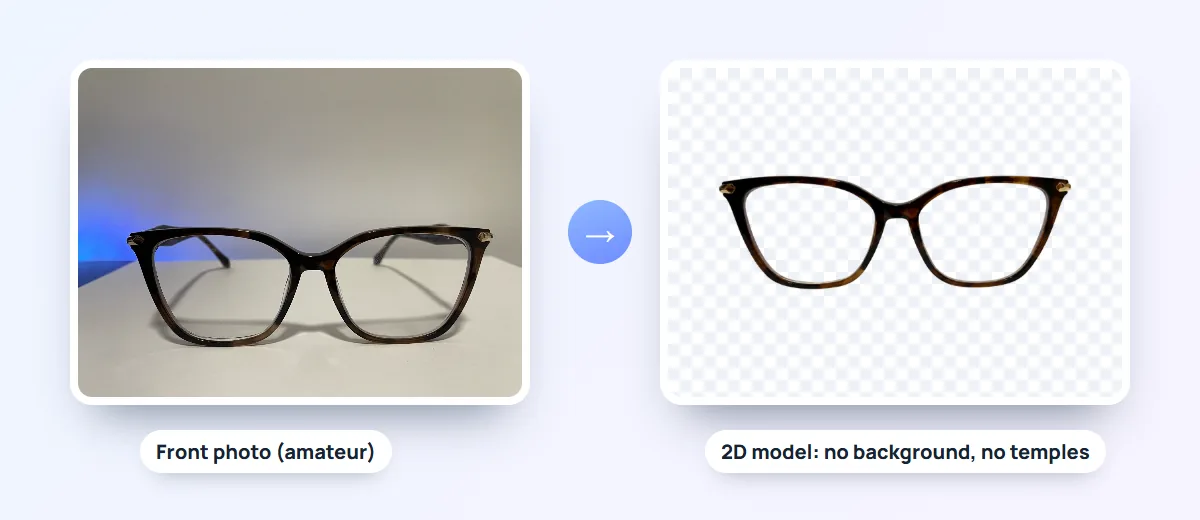
That's why the rules above matter twice: the straighter and cleaner the front photo, the better the frame looks on the customer's face. See the full walkthrough in how to add a frame.
Frequently asked questions
Do I need a photographer to sell glasses online?
No. A phone with a rear camera, a plain light background and window light are enough. What matters most is the frame facing the camera, centered and without shadows.
White or colored background?
For the product photo, a plain light background, preferably white. It makes cutting out easier and doesn't change the frame's color. Colored scenes are for catalog photos.
What's the best format for glasses photos?
Square, with some margin around the frame. In the Previaly dashboard, each photo can be up to 12 MB, in JPG or PNG.
Can I use the supplier's photo?
Yes, if you have the right to use it. For the try-on, if the photo is already straight on, with no background and no temples, it can be used as the 2D model directly, without spending a credit.
How do I photograph sunglasses without glare?
Light the frame from the side, never from the front, and turn it slightly until the reflection leaves the lens. Avoid the flash.
The Previaly team
We build the virtual try-on, the online storefront and the AI Studio that optical stores use to sell from the customer's phone. These guides come from what we see every day in the product and in our work with stores.